So, you’re looking for the best free bass plugins to beef up your tracks without breaking the bank? Awesome! Getting that low-end rumble just right is crucial for any genre, and luckily, there’s a ton of seriously good free software out there that can help you do it. As a music producer who’s always on the hunt for killer sounds, I’ve spent a lot of time digging through the options, and I’m here to share my top picks with you.
We’re going to dive into some fantastic free plugins that can cover a range of bass needs, from clean and punchy to distorted and downright dirty. Whether you’re crafting hip-hop beats, rocking out with a metal anthem, or laying down smooth jazz grooves, there’s a free bass plugin out there for you. Let’s get started!

Top Free Bass Plugins to Supercharge Your Low End
Here are some of my favorite free bass plugins, covering various styles and techniques. Remember, the best plugin for you depends on the sound you’re after, so experiment and have fun!
Ample Guitar M Lite II (Bass Edition)
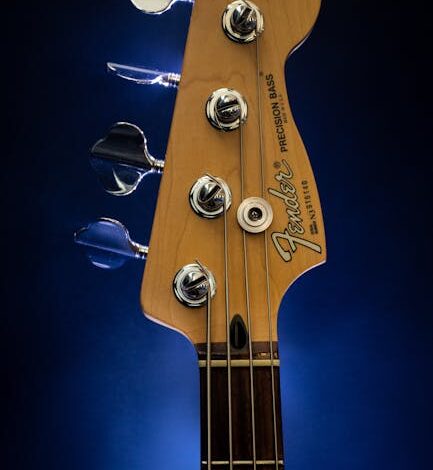
Don’t let the “Guitar” in the name fool you! Ample Guitar M Lite II, specifically when used with its bass sounds, is a fantastic free virtual bass instrument. It’s based on samples of a real Fender Precision Bass, giving you a surprisingly realistic and playable bass tone. It’s perfect for laying down clean, natural-sounding basslines.
One of the great things about Ample Guitar M Lite II is its versatility. You can adjust the tone to get everything from a mellow, rounded sound to a brighter, more aggressive attack. Plus, it’s incredibly easy to use, making it a great choice for beginners.
Spitfire Audio LABS
Spitfire Audio LABS is a treasure trove of free, high-quality instruments, and they often have fantastic bass options. The beauty of LABS is its simplicity. Each instrument is focused on a specific sound, making it easy to dial in what you need quickly. While the selection changes over time, keep an eye out for their bass offerings – they are frequently adding new instruments and often have exceptional bass ones available.
LABS instruments are sample-based, meaning they use recordings of real instruments to create their sound. This gives them a level of realism that’s hard to achieve with purely synthesized sounds. Plus, the user interface is incredibly intuitive, so you can start playing and tweaking sounds right away.
TAL-Elek7ro
If you’re looking for a synthesized bass sound with a retro vibe, TAL-Elek7ro is an excellent choice. This virtual analog synthesizer is capable of producing a wide range of bass tones, from smooth and subby to aggressive and distorted. It’s especially well-suited for electronic music genres like house, techno, and synthwave.
TAL-Elek7ro features a simple but powerful interface that allows you to easily shape your sound. You can tweak the oscillators, filters, and envelopes to create your own unique bass patches. Plus, it’s very CPU-friendly, so you can use it on multiple tracks without bogging down your computer.
Bass Professor II
Bass Professor II is a free VST plugin designed specifically for creating realistic bass guitar sounds. It uses a combination of sampling and synthesis to produce a wide range of bass tones, from vintage to modern. It includes multiple bass models and various effects, allowing you to easily customize your sound.
The interface is fairly straightforward, making it easy to dial in the desired tone and add effects such as compression, EQ, and distortion. Its low CPU usage makes it suitable for use in a variety of music production setups. This plugin is a great tool for musicians and producers looking for quality bass sounds without the cost.
Blue Cat’s FreqAnalyst
Okay, so this one isn’t *technically* a bass plugin, but it’s an essential tool for getting your bass sounding its best. Blue Cat’s FreqAnalyst is a free spectrum analyzer that allows you to visually see the frequency content of your audio. This is incredibly helpful for identifying problem areas in your bass frequencies, such as muddiness or unwanted resonances.
By using FreqAnalyst, you can make informed decisions about EQ and compression to shape your bass sound and make it sit perfectly in the mix. It’s like having a magnifying glass for your low end! Knowing where frequencies are clashing or being over-emphasized is vital for a clean, powerful mix.
Tips for Getting the Most Out of Free Bass Plugins
Once you’ve got your hands on some awesome free bass plugins, here are a few tips to help you get the most out of them:
- Experiment with different sounds: Don’t be afraid to try out different plugins and presets to find the perfect sound for your track.
- Use EQ to shape your sound: EQ is your best friend when it comes to sculpting your bass. Use it to remove muddiness, boost certain frequencies, and make your bass sit well in the mix.
- Add compression for punch and sustain: Compression can help to even out the dynamics of your bass and add some serious punch.
- Don’t be afraid to use effects: Effects like distortion, chorus, and flanger can add character and interest to your bass sound. Just be careful not to overdo it!
- Layer your bass: Try layering multiple bass plugins together to create a richer, more complex sound.
Safety Considerations
Downloading and installing plugins from the internet always carries some risk. Make sure to download your plugins from reputable sources, such as the plugin developer’s website. Always scan downloaded files with a virus scanner before installing them. Also, be sure to back up your system regularly to protect against data loss.
Frequently Asked Questions
Are free bass plugins as good as paid ones?
While paid plugins often offer more features and a higher level of polish, there are many excellent free bass plugins that can rival their paid counterparts. With a little tweaking and experimentation, you can achieve professional-sounding results with free plugins.
What is a VST plugin?
VST (Virtual Studio Technology) is a software interface that allows you to integrate plugins into your digital audio workstation (DAW). VST plugins can be instruments, effects, or other audio processing tools.
How do I install a VST plugin?
The installation process for VST plugins varies depending on the plugin and your DAW. However, the general steps are to download the plugin, extract the files, and then copy the plugin file (usually a .dll or .vst file) to your DAW’s plugin folder. You may need to restart your DAW for the plugin to be recognized.
Can I use multiple bass plugins on one track?
Yes! Layering different bass plugins can create a more complex and interesting sound. Try combining a clean bass sound with a distorted one, or layering a sub bass with a more mid-range focused bass.
Finding the right free bass plugins can seriously enhance your music production without costing you a dime. Experiment with different options and techniques to craft the perfect low-end for your tracks. Remember to use your ears, trust your instincts, and most importantly, have fun!