

So, you’re ready to dive into the exciting world of trading, but you want to test your strategies before putting real money on the line? Smart move! Backtesting allows you to see how your trading ideas would have performed in the past, helping you refine them and build confidence. The great news is, you don’t necessarily need to break the bank to get started. There are some excellent free backtesting software options available.
As a trading enthusiast who’s been there, done that (and learned from plenty of mistakes!), I understand the importance of solid backtesting. It’s not just about seeing if you would have made money; it’s about understanding *why* your strategy works (or doesn’t!). This knowledge is invaluable.
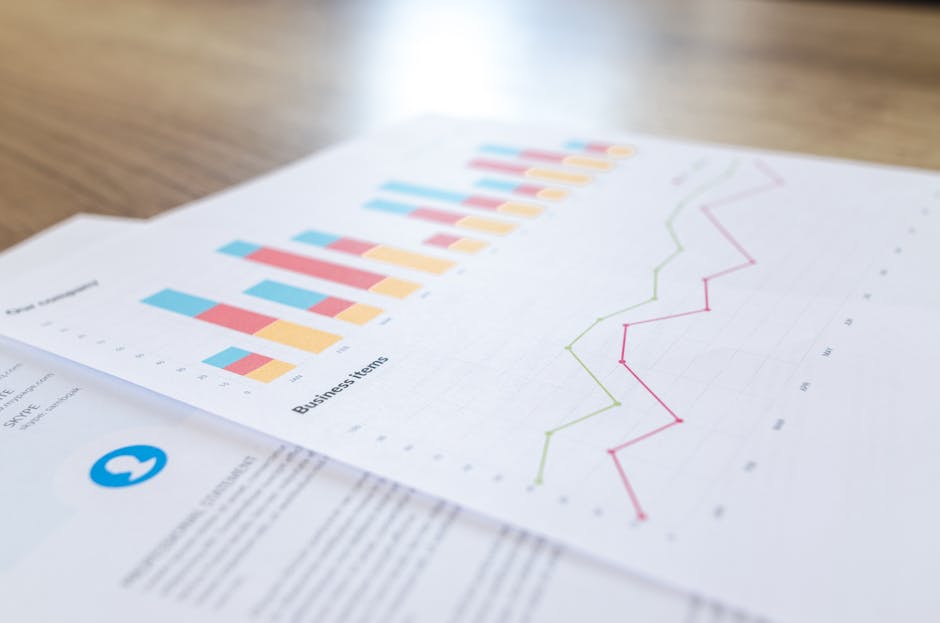
Why Use Backtesting Software?
Backtesting software helps you apply your trading rules to historical market data. Instead of guessing, you can see exactly how your strategy would have behaved during different market conditions. This can reveal hidden flaws, identify optimal parameters, and give you a realistic expectation of potential profits (and losses!). Think of it like a flight simulator for trading – you can practice and learn without the risk of crashing and burning.
Before we jump into specific software, let’s talk about what makes good backtesting software, especially the free kind.
Key Features to Look For
Even free backtesting software can pack a punch if you know what to look for:
- Data Availability: Does it offer historical data for the markets you’re interested in (stocks, forex, crypto, etc.)? How far back does the data go? More data means a more comprehensive test.
- Ease of Use: Is the software intuitive and easy to learn? A complicated interface can be a huge time-waster.
- Customization: Can you easily create and modify your trading strategies? The ability to code or use visual strategy builders is a big plus.
- Reporting: Does it provide detailed reports on your backtesting results? You’ll want to see metrics like win rate, profit factor, drawdown, and more.
- Supported Assets: Does the platform support the asset classes you trade? Make sure it handles stocks, futures, forex, or crypto if those are your instruments of choice.
Now, let’s explore some of the best free backtesting software options.
Top Free Backtesting Software
Remember, “free” often comes with limitations. You might encounter restrictions on data access, strategy complexity, or backtesting speed. However, these options are still fantastic for learning and developing your skills.
TradingView
TradingView is a popular platform known for its charting capabilities and social trading features. But did you know it also offers robust backtesting? The free plan has some limitations but is more than enough to get you started.
TradingView uses Pine Script, a relatively easy-to-learn scripting language, to create your trading strategies. You can then apply these strategies to historical data and see how they would have performed. The platform provides detailed reports, including profit/loss, drawdown, and win rate.
Pros: User-friendly interface, large community, Pine Script is relatively easy to learn, extensive charting tools.
Cons: Free plan has limitations on the number of indicators and alerts you can use, historical data can be limited depending on the asset.
MetaTrader 4 (MT4) and MetaTrader 5 (MT5)
MT4 and MT5 are widely used platforms, especially in the Forex market. While primarily known for live trading, they also offer excellent backtesting capabilities.
You can create custom trading strategies using MQL4 (for MT4) or MQL5 (for MT5), or you can find and download existing strategies from the MetaTrader community. The Strategy Tester allows you to backtest your strategies on historical data and optimize their parameters.
Pros: Huge community, tons of free resources and indicators, powerful strategy tester, widely used in Forex.
Cons: MQL4/MQL5 can be a bit challenging to learn for beginners, the interface can feel a bit outdated.
QuantConnect
QuantConnect is a more advanced platform that caters to algorithmic traders. It offers a free tier that allows you to backtest your strategies using their cloud-based platform.
QuantConnect supports multiple programming languages, including Python and C#. This gives you a lot of flexibility in creating complex and sophisticated trading algorithms. They also provide access to a wide range of historical data.
Pros: Powerful platform, supports multiple programming languages, access to a large amount of historical data, great for algorithmic traders.
Cons: Steeper learning curve, requires programming knowledge, the free tier has limitations on backtesting speed and data access.
Other Notable Mentions
While the above are some of the most popular, here are a few other free options worth checking out:
- Backtrader (Python Library): A powerful Python library for backtesting. Requires programming knowledge.
- Lean (QuantConnect’s Open-Source Engine): Allows you to run QuantConnect algorithms locally.
- Blueshift: Another platform geared towards algorithmic trading, offering a free tier.
Important Considerations Before Backtesting
Before you start plugging in strategies, keep these points in mind:
- Data Quality: “Garbage in, garbage out!” Make sure your historical data is accurate and reliable.
- Overfitting: Be careful not to optimize your strategy to perfectly fit the historical data. This can lead to poor performance in live trading. Test your strategy on different time periods to avoid overfitting.
- Transaction Costs: Account for commissions, slippage, and other transaction costs in your backtesting. These can significantly impact your results.
- Market Changes: Remember that past performance is not necessarily indicative of future results. Market conditions can change over time.
Frequently Asked Questions (FAQ)
What is slippage, and why is it important in backtesting?
Slippage is the difference between the expected price of a trade and the actual price at which the trade is executed. It often occurs during periods of high volatility or low liquidity. It’s important to account for slippage in backtesting because it can significantly impact your strategy’s profitability.
How much historical data do I need for backtesting?
The more data, the better! Ideally, you want at least a few years of historical data to capture different market conditions. However, even shorter periods can be useful for testing specific strategies.
Can backtesting guarantee future profits?
No, absolutely not! Backtesting is a valuable tool, but it’s not a crystal ball. It can help you identify potential flaws in your strategy and refine your approach, but it can’t guarantee future profits. Market conditions change, and past performance is not always indicative of future results.
What are the most common mistakes in backtesting?
Overfitting, ignoring transaction costs, using poor-quality data, and failing to account for slippage are some of the most common mistakes. Also, failing to consider the psychological aspects of trading – how you’ll react under pressure in live trading – is a big one.
How do I choose the right backtesting software for me?
Consider your experience level, the types of assets you trade, and your programming skills (or willingness to learn). Start with a user-friendly platform like TradingView and gradually move to more advanced options like QuantConnect as you gain experience.
In conclusion, free backtesting software offers a fantastic way to learn and refine your trading strategies without risking real money. While “free” might have some limitations, the tools mentioned provide enough features to get you started. Remember to focus on data quality, avoid overfitting, and always consider the psychological aspects of trading. Happy backtesting!
